 CodeZero
Installation
This guide will walk you through the deployment of CodeZero using Docker. Currently, CodeZero is in active development, and we are focused on building our community of early adopters. Follow these steps to set up your environment and connect your first runtime.
Prerequisites
Before beginning, ensure you have the following installed on your system:
- Git
- Docker and Docker Compose
Clone the latest release
To ensure stability, we recommend using the latest release. Run the following command to clone the repository:
Get the newest release version from the CodeZero GitHub releases page
git clone --branch <version> https://github.com/code0-tech/codezero.gitNavigate to the deployment directory:
cd codezero/docker-compose/Configure environment variables
CodeZero uses an .env file to manage initial credentials and system settings. Create or edit the file:
nano .envThe .env template
Ensure your .env file contains the following variables. Pay close attention to the Root Credentials and the
Image
Edition.
# IDE config
HOSTNAME=localhost
HTTP_PORT=80
HTTPS_PORT=443
SSL_ENABLED=false
# must be located in ./certs, defaults to "<hostname>.pem"
SSL_CERT_FILE=
# must be located in ./certs, defaults to "<hostname>.key"
SSL_KEY_FILE=

INITIAL_ROOT_PASSWORD=root
INITIAL_ROOT_MAIL=[email protected]
# can be used to create a global runtime with given token
INITIAL_RUNTIME_TOKEN=runtime

# Runtime config
AQUILA_SAGITTARIUS_URL=http://nginx:80
AQUILA_SAGITTARIUS_TOKEN=runtime
DRACO_REST_PORT=8084
DRACO_REST_HOST=127.0.0.1

TAURUS_AQUILA_TOKEN=taurus
DRACO_REST_AQUILA_TOKEN=draco-rest
DRACO_CRON_AQUILA_TOKEN=draco-cron

AQUILA_GRPC_CONNECT_TIMEOUT_SECS=2
AQUILA_GRPC_REQUEST_TIMEOUT_SECS=10
SAGITTARIUS_UNARY_RPC_TIMEOUT_SECS=10

# Active services
# Available services: ide, runtime, ide_velorum (AI orchestrator)
COMPOSE_PROFILES=ide,runtime,ide_velorum

# Image config
IMAGE_REGISTRY=registry.gitlab.com/code0-tech/packages
IMAGE_TAG=
# ce or ee
IMAGE_EDITION=

# Sagittarius config
# change these to new secret values
SAGITTARIUS_DB_ENCRYPTION_PRIMARY_KEY=YzaMv4bXYK84unYIQI4Ms4sV3ucbvWs0
SAGITTARIUS_DB_ENCRYPTION_DETERMINISTIC_KEY=jgTaxTqzM15ved1S8HdXrqrjfCfF5R0h
SAGITTARIUS_DB_ENCRYPTION_KEY_DERIVATION_SALT=Z6zcLTgobXLYjXUslRsLMKxvXKq3j6DJ
SAGITTARIUS_RAILS_SECRET_KEY_BASE=MVMD6CtQwEWrQ28TdokQakbG2FG5abOn

# Velorum config
# VELORUM_ENABLED=false (override, default checks if COMPOSE_PROFILES contains ide_velorum)
VELORUM_HOST=velorum
VELORUM_PORT=50051
# change to a random value
VELORUM_JWT_SECRET=088cfc7a7fc2b07696d8ee5e1ea9d642

# example, GPT5 in the variable name can be changed to other values. This set of variables can be repeated multiple times
# VELORUM_MODEL_GPT5_IDENTIFIER=gpt-5
# VELORUM_MODEL_GPT5_NAME='GPT 5'
# VELORUM_MODEL_GPT5_CAPABILITIES=explain,generate
# if using a non-default base-url
# VELORUM_MODEL_GPT5_API=
# or openrouter/openai/gpt-5, etc depending on the provider
# VELORUM_MODEL_GPT5_PROVIDER=openai/gpt-5
# authentication token
# VELORUM_MODEL_GPT5_AUTH=your-secret-token
# token cost multiplier for this model
# VELORUM_MODEL_GPT5_TOKEN_COST=1

# Internal config options
SAGITTARIUS_RAILS_HOST=sagittarius-rails-web
SAGITTARIUS_RAILS_PORT=3000
SAGITTARIUS_CABLE_HOST=sagittarius-rails-cable
SAGITTARIUS_CABLE_PORT=3000
SAGITTARIUS_GRPC_HOST=sagittarius-grpc
SAGITTARIUS_GRPC_PORT=50051
SAGITTARIUS_LOG_LEVEL=info
# web threads and grpc threads must be lower than db pool size
SAGITTARIUS_RAILS_WEB_THREADS=3
SAGITTARIUS_RAILS_GRPC_THREADS=6
SAGITTARIUS_DB_POOL_SIZE=8
SCULPTOR_HOST=sculptor
SCULPTOR_PORT=3000
POSTGRES_HOST=postgres
POSTGRES_PORT=5432
POSTGRES_DB=sagittarius_production
POSTGRES_USER=sagittarius
POSTGRES_PASSWORD=sagittarius
Key parameters
IMAGE_TAG: Set this to the specific version of CodeZero you want to deploy.INITIAL_ROOT_MAIL: The email address for the primary administrator.INITIAL_ROOT_PASSWORD: The secure password for your first login.IMAGE_EDITION: Set this to ce for the Community Edition or ee for the Enterprise Edition. This determines which Docker images will be pulled.COMPOSE_PROFILES: Controls which services are started. Available profiles areide,runtimeandide_velorum(AI orchestrator). Removeide_velorumif you don't want to run the AI orchestrator.
Secrets
The following values must be replaced with newly generated secrets before going to production. The defaults in the template are only meant to make local testing easier:
SAGITTARIUS_DB_ENCRYPTION_PRIMARY_KEY,SAGITTARIUS_DB_ENCRYPTION_DETERMINISTIC_KEY,SAGITTARIUS_DB_ENCRYPTION_KEY_DERIVATION_SALT: Keys used to encrypt sensitive data in the Sagittarius database.SAGITTARIUS_RAILS_SECRET_KEY_BASE: Base secret used by Rails to sign and encrypt session data.VELORUM_JWT_SECRET: Secret used by Velorum to sign JWTs. Only required when theide_velorumprofile is active.
Setup initial runtime
INITIAL_RUNTIME_TOKEN: If you want to create a global runtime with a predefined token, set it here. This allows you to connect a runtime immediately after deployment without needing to generate a token from the dashboard.AQUILA_SAGITTARIUS_TOKEN: Set the same token here if you want the global runtime to connect right away. If you leave it blank, you can set it up runtime later, follow Setup additional runtimes instructions.
Deployment
Start the CodeZero containers in detached mode:
docker compose up -dOnce the containers are running, you can access the CodeZero Dashboard via your browser (typically at http://localhost/).
Setup additional runtimes
Connecting the runtime
A "Runtime" is the engine that executes your flows. To activate it, you must generate a unique token within the dashboard and link it to your configuration.
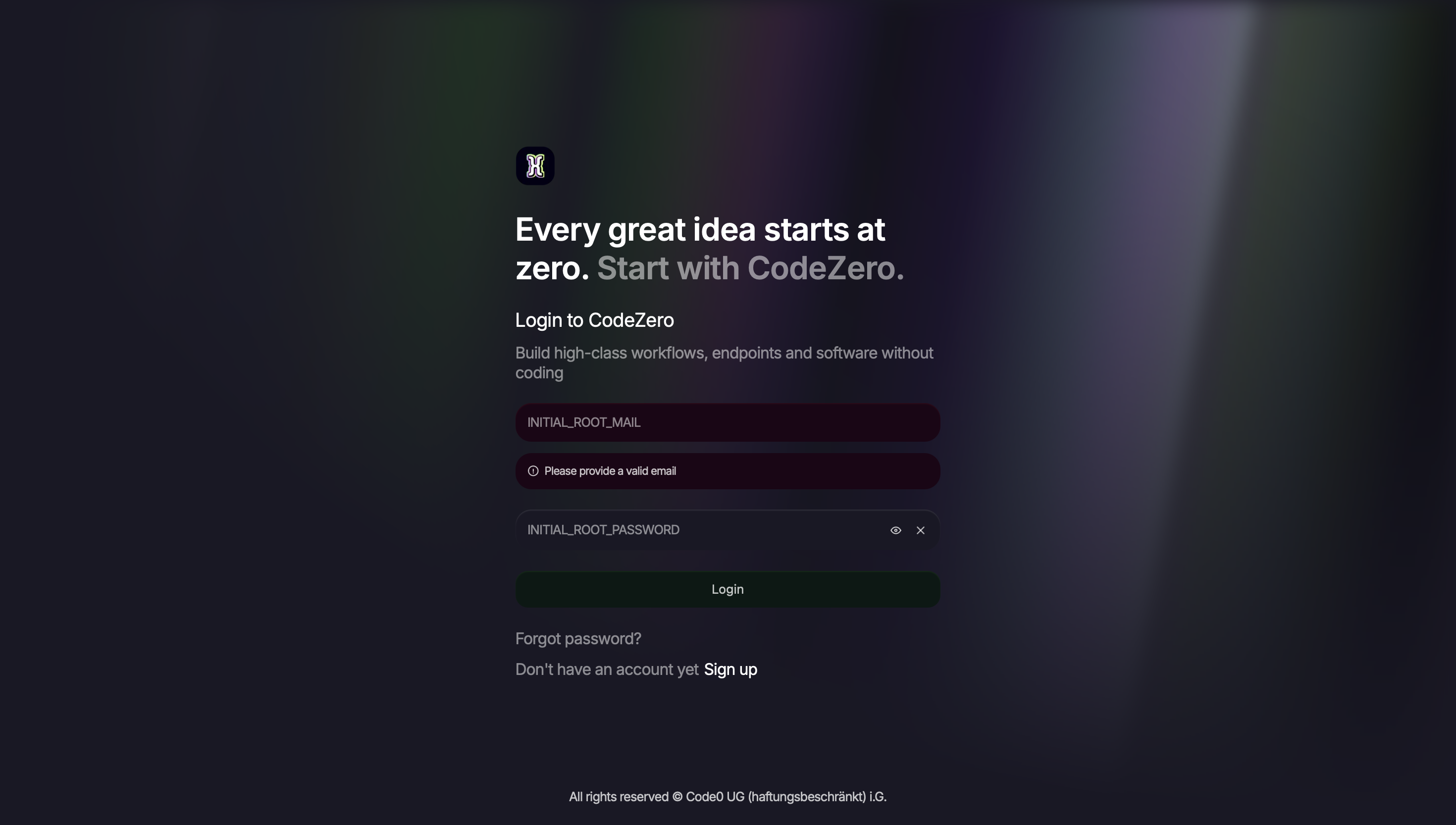
Login
Log in to the dashboard using the INITIAL_ROOT_MAIL and INITIAL_ROOT_PASSWORD you defined in your .env
file.
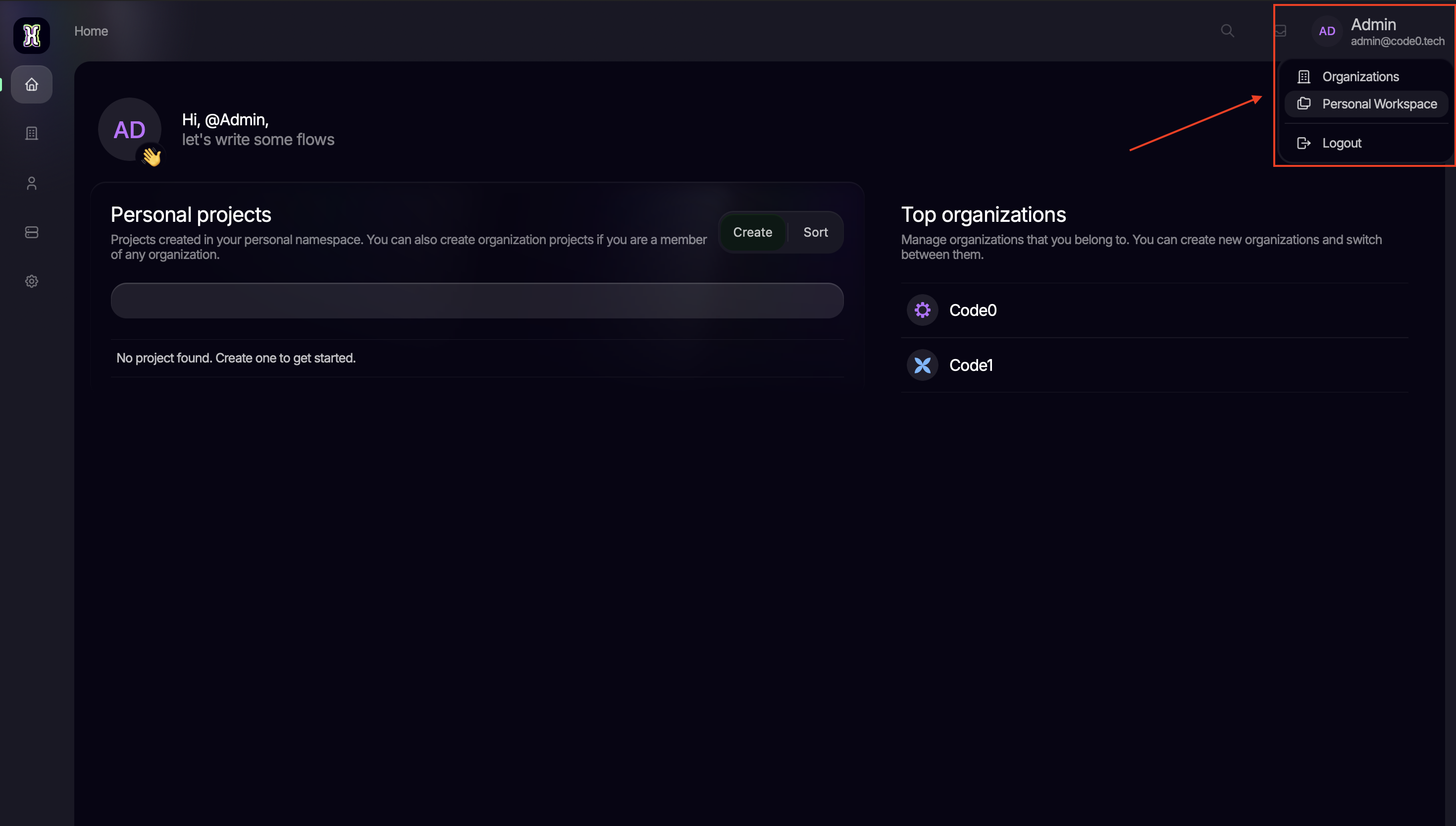
Create organization or navigate to personal workspace
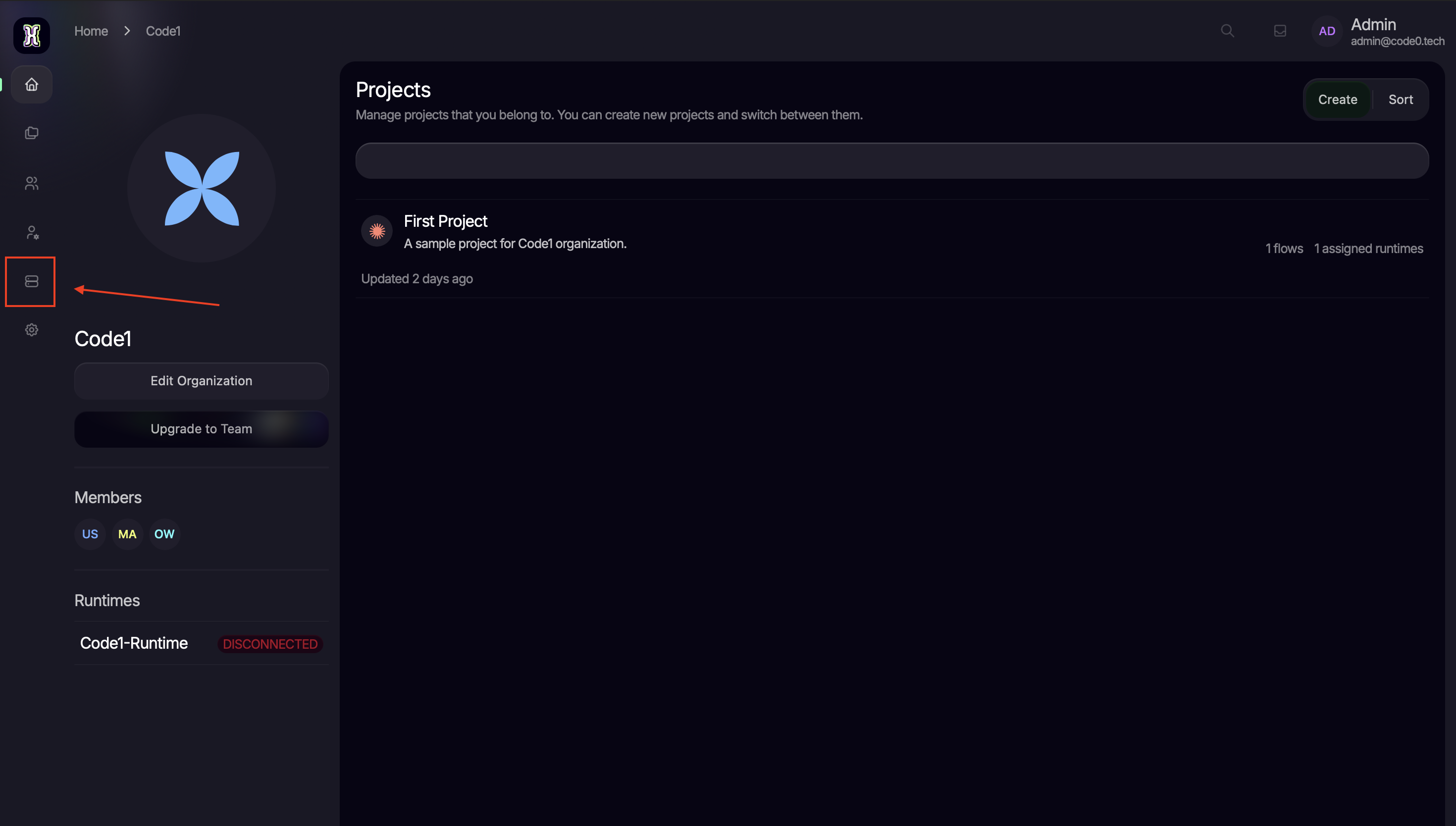
Navigate to runtimes
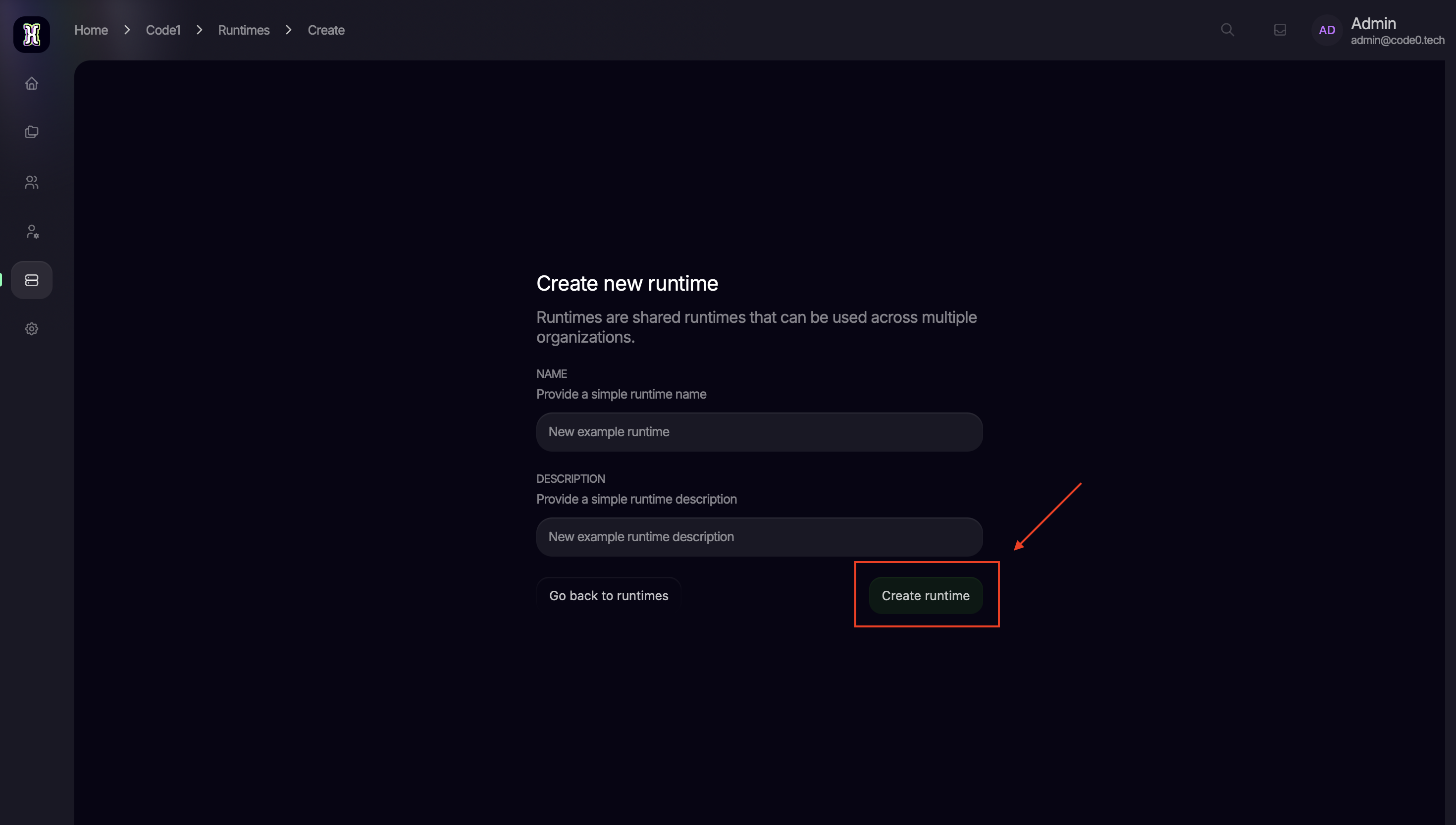
Create new runtime
Copy the generated token
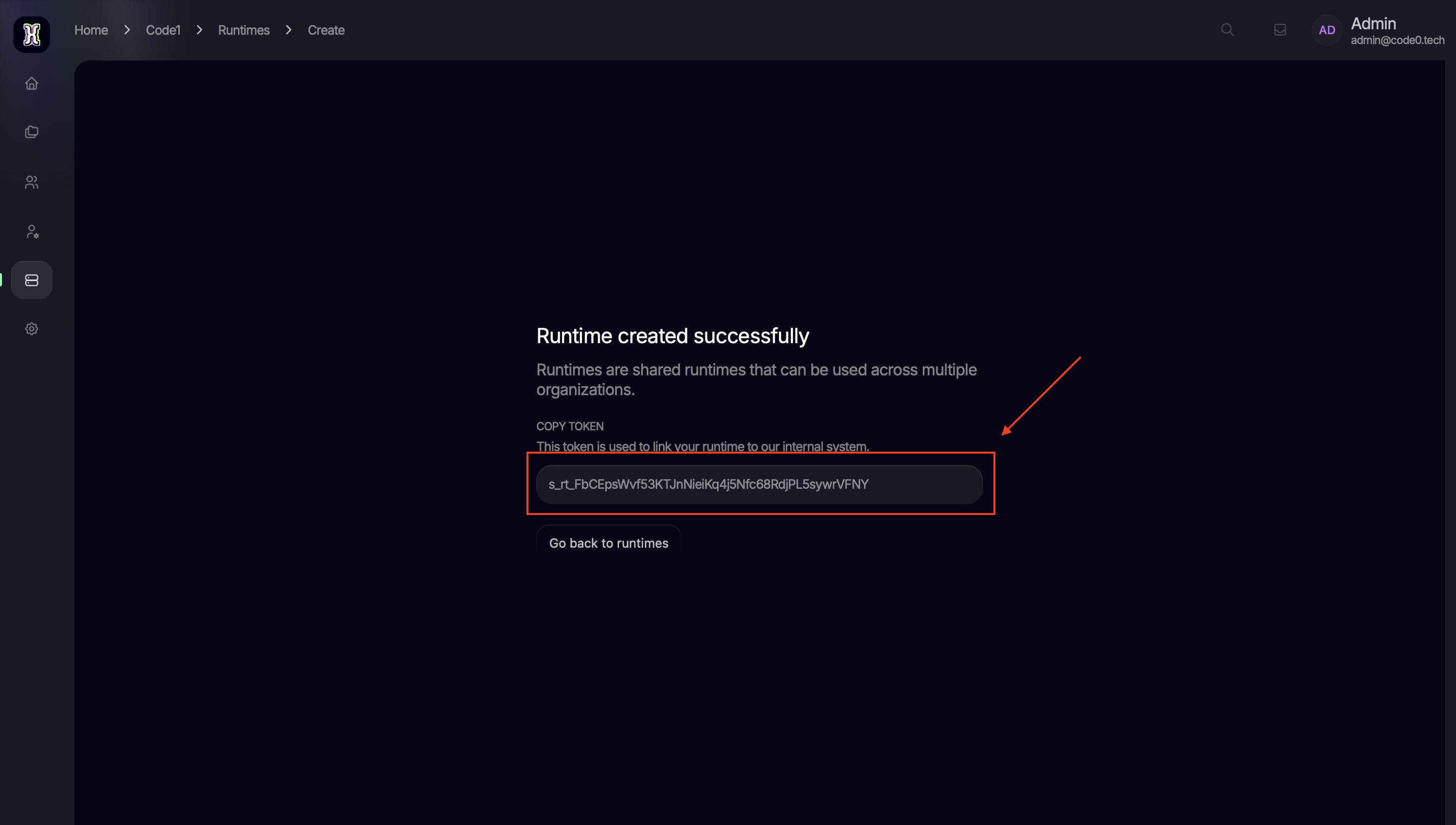
Update your .env file
Update your .env file with the copied token at AQUILA_SAGITTARIUS_TOKEN and save the file.
Finalize the setup
For the changes to take effect and for the runtime to authenticate correctly, restart the containers:
docker compose up -dSetup Velorum (AI orchestrator)
Velorum is the AI orchestrator that powers CodeZero's AI features. It exposes a unified interface to one or more language models, which are configured purely through environment variables.
Enable the Velorum profile
Make sure the ide_velorum profile is part of COMPOSE_PROFILES in your .env file:
COMPOSE_PROFILES=ide,runtime,ide_velorumYou can opt out of the AI orchestrator at any time by removing ide_velorum from the list and restarting
the containers. To force-disable Velorum even when the profile is active, set VELORUM_ENABLED=false.
Configure the Velorum service
The following variables configure the Velorum service itself:
VELORUM_HOST: The hostname Sagittarius uses to reach Velorum. Defaults to the in-networkvelorumservice.VELORUM_PORT: The gRPC port Velorum listens on (default50051).VELORUM_JWT_SECRET: Secret used to sign JWTs issued by Velorum. Replace the value from the template with a freshly generated random string.
Configure AI models
Each model Velorum should expose is configured through a set of VELORUM_MODEL_<SLOT>_* variables. The
<SLOT> part of the variable name is a free-form identifier you choose (e.g. GPT5, CLAUDE, LLAMA)
and is used only to group the variables for one model together. Repeat the set of variables for every
model you want to register.
VELORUM_MODEL_GPT5_IDENTIFIER=gpt-5
VELORUM_MODEL_GPT5_NAME='GPT 5'
VELORUM_MODEL_GPT5_CAPABILITIES=explain,generate
# if using a non-default base-url
VELORUM_MODEL_GPT5_API=
# or openrouter/openai/gpt-5, etc depending on the provider
VELORUM_MODEL_GPT5_PROVIDER=openai/gpt-5
VELORUM_MODEL_GPT5_AUTH=your-secret-token
VELORUM_MODEL_GPT5_TOKEN_COST=1IDENTIFIER: Stable identifier used by the rest of CodeZero to reference this model.NAME: Human-readable name shown in the dashboard.CAPABILITIES: Comma-separated list of capabilities this model supports (e.g.explain,generate).API: Optional. Override when the provider is reached through a non-default base URL.PROVIDER: Provider/model string in the format expected by Velorum, e.g.openai/gpt-5oropenrouter/openai/gpt-5.AUTH: Authentication token used to call the provider.TOKEN_COST: Token cost multiplier applied to usage of this model.
Finalize the Velorum setup
After updating the .env file, restart the containers so Velorum and Sagittarius pick up the new
configuration:
docker compose up -dYour CodeZero instance is now fully configured and ready to manage your enterprise flows and organizational structures.