 CodeZero
Quick - How to login
Welcome to the Quick Tutorials! In this guide, we’ll walk through all steps from your current installtion to your first flow.
Prerequisite: Ensure you have completed the steps from the Installation Process before proceeding.
To access the IDE, you need to visit the URL defined in your .env file. Open your environment configuration to verify the HOSTNAME and PORT:
# IDE config
HOSTNAME=localhost
HTTP_PORT=80
HTTPS_PORT=443
SSL_ENABLED=false
# must be located in ./certs, defaults to "<hostname>.pem"
SSL_CERT_FILE=
# must be located in ./certs, defaults to "<hostname>.key"
SSL_KEY_FILE=

INITIAL_ROOT_PASSWORD=tutorials
INITIAL_ROOT_MAIL=[email protected]
# can be used to create a global runtime with given token
INITIAL_RUNTIME_TOKEN=runtime
...
Local Machine
If you are running the ide in docker on your current computer, use the loopback address.
http://localhostThis only works if the browser and the docker container are on the same device.
Remote Server
If you are accessing a server on your local network, use its IP address.
http://192.168.2.105Instructions:
- Find your server IP (PS: On linux headless type
ip addrcopy that address). - Replace
192.168.2.105with your actual IP. - Ensure port
80is open in your firewall settings.
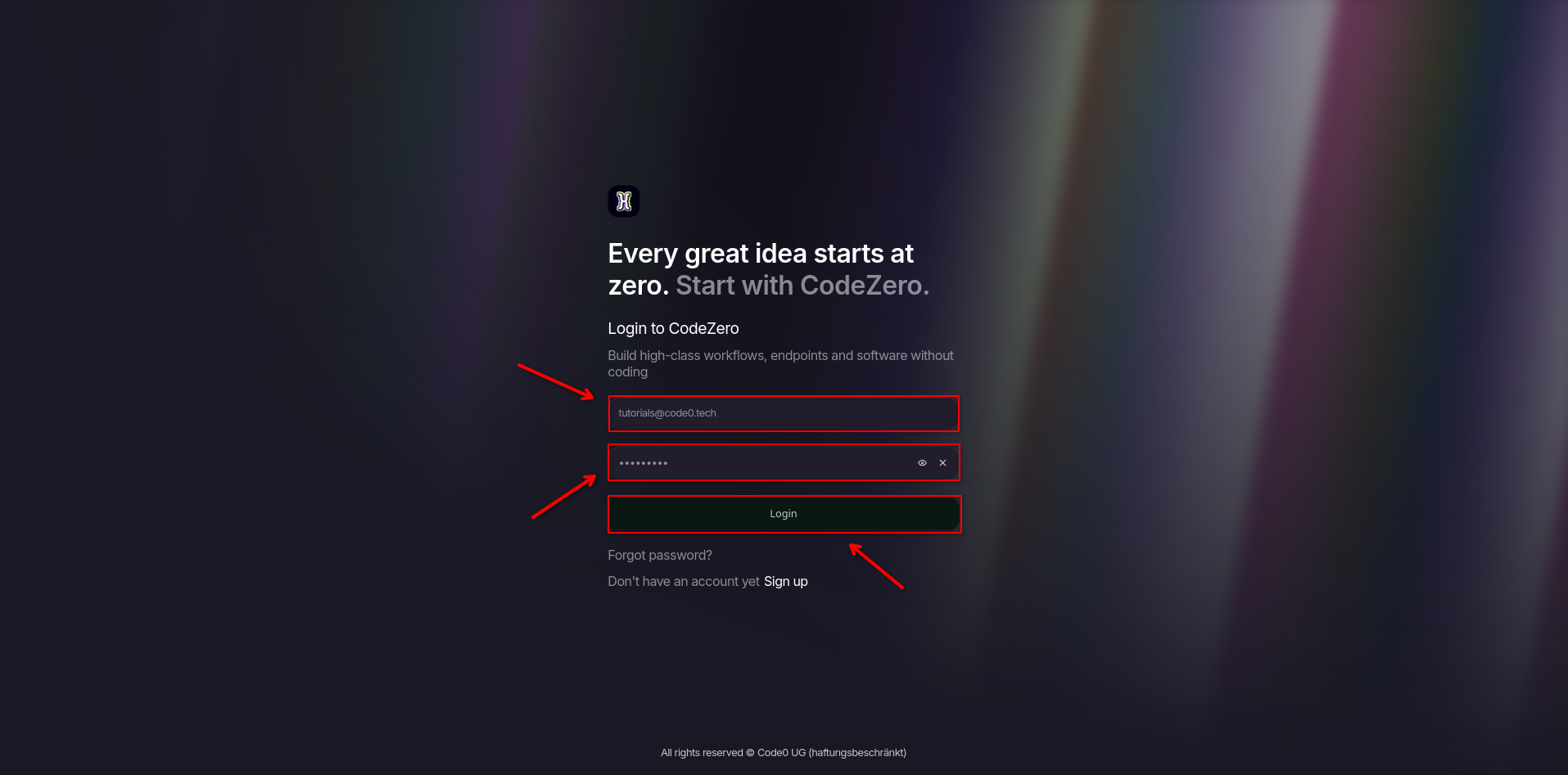
Once you have opened the correct URL in your browser, the login screen will appear. Enter the credentials you defined in your .env file.
# IDE config
HOSTNAME=localhost
HTTP_PORT=80
HTTPS_PORT=443
SSL_ENABLED=false
# must be located in ./certs, defaults to "<hostname>.pem"
SSL_CERT_FILE=
# must be located in ./certs, defaults to "<hostname>.key"
SSL_KEY_FILE=
INITIAL_ROOT_PASSWORD=tutorials
INITIAL_ROOT_MAIL=[email protected]
# can be used to create a global runtime with given token
INITIAL_RUNTIME_TOKEN=runtime
...
Enter the INITIAL_ROOT_MAIL and INITIAL_ROOT_PASSWORD into their corresponding login fields, then click Login.
What are my next steps?
Now that you have successfully logged in as the root administrator, your next step is to create a home for your automation experiments. Head over to our Creating a Personal Project tutorial to get your first sandbox workspace ready!